Volley
Volley is an AI-native volunteer activation tool that helps organizations develop tasks, engage volunteers, and outsource tedious tasks.
In development · Demo with sample data
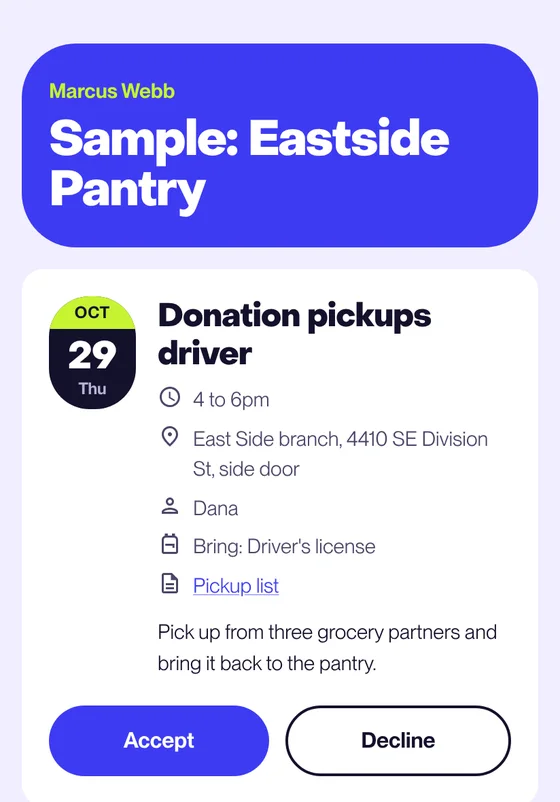
How a coordinator fills a Saturday shift
In the demo, a food pantry needs people for a Saturday intake desk and a delivery run.
Today lists the decisions waiting
Seven people have never been asked, a delivery has three gaps, and an intake desk has no one eligible. Each line opens the screen where the coordinator decides.
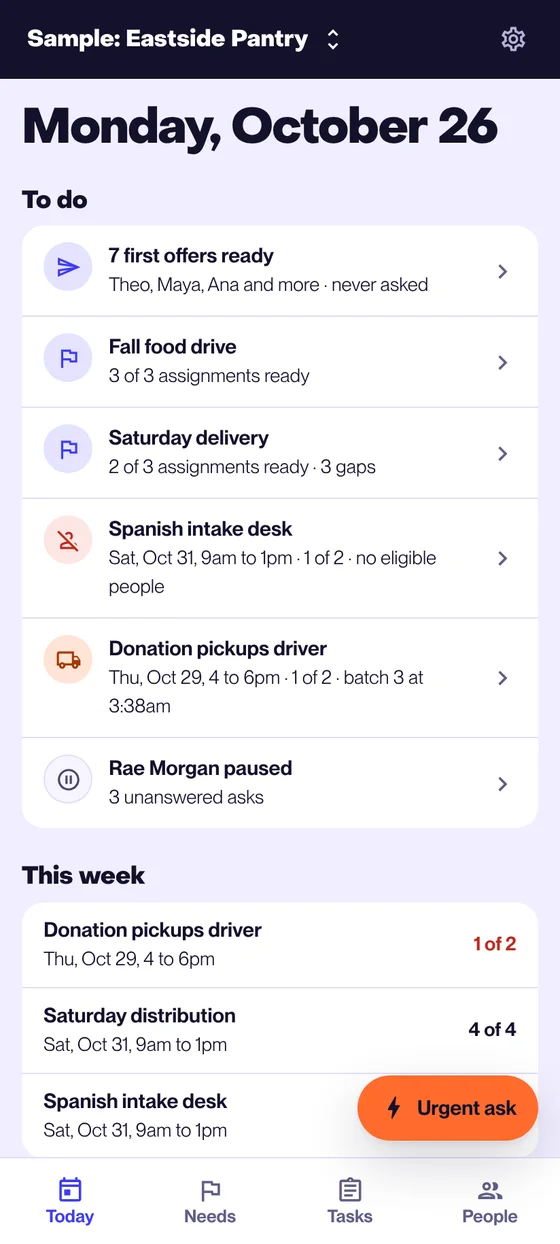
Today The task shows who fits and who goes first
A task names what it needs, such as Spanish or a driver's license. Only people who meet the requirements are asked, and the person who has waited longest goes first. The coordinator asks a few at a time, asks everyone who fits, or picks by hand.
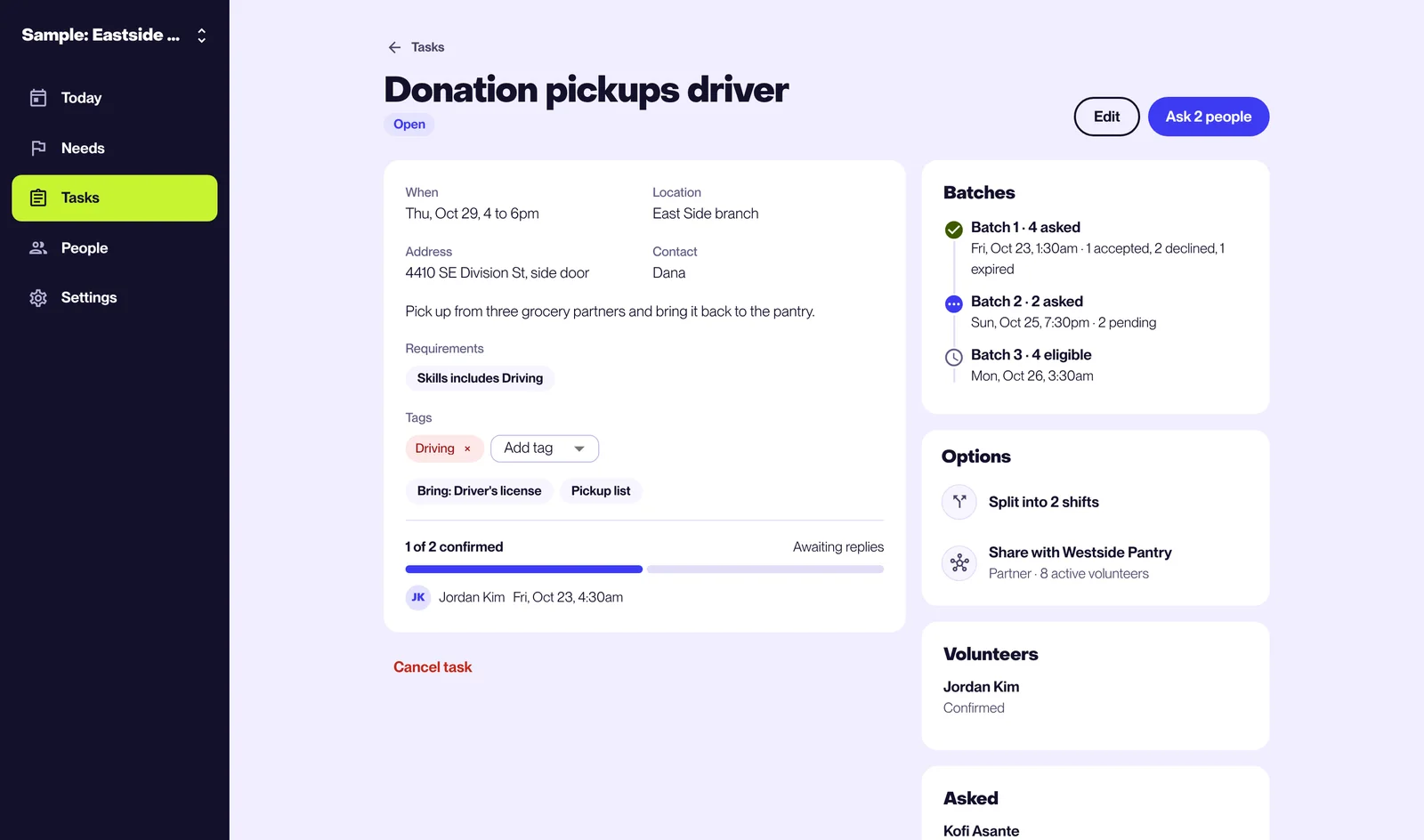
A task page Each person asked gets a private link
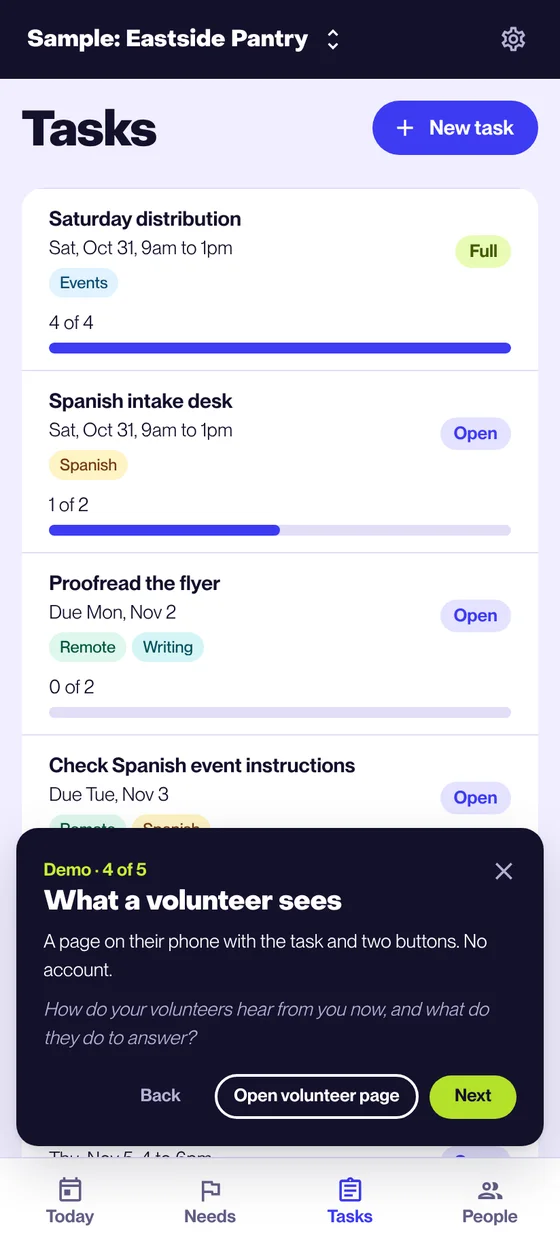
The coordinator pastes the links into the email, text, or chat the organization already uses. The task list shows how many spots are filled and how many answers are pending.
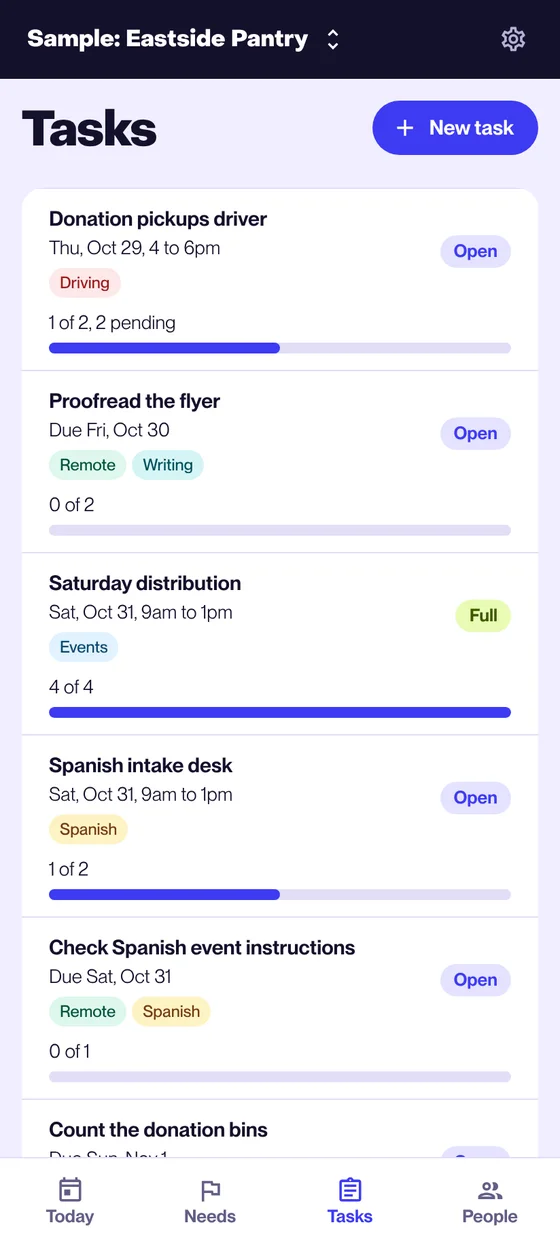
Tasks
What a coordinator keeps in Volley
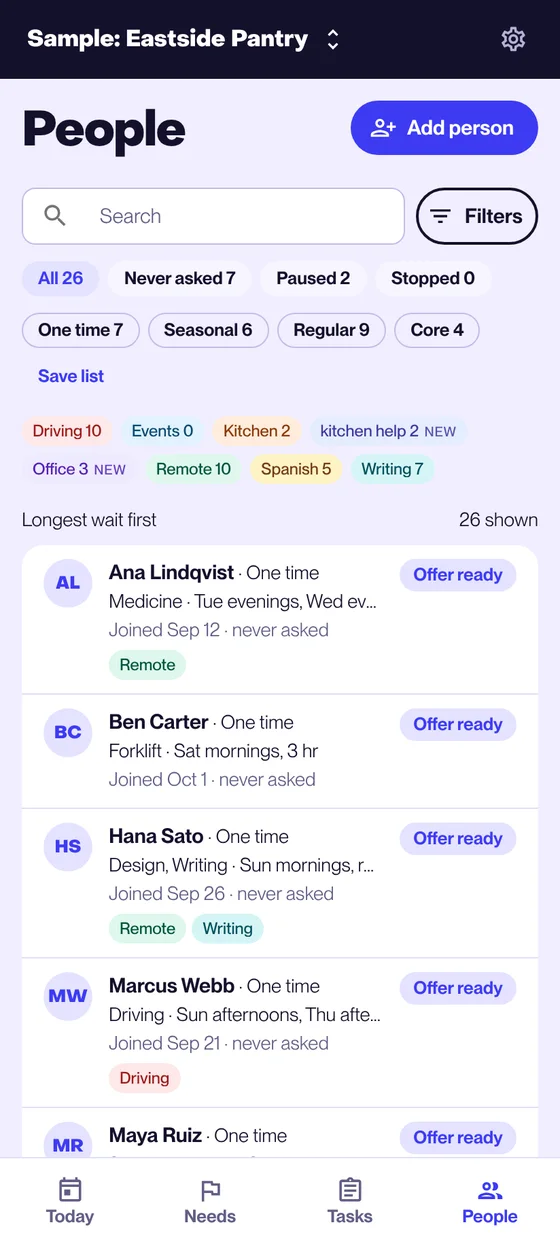
People, with the fields the organization chooses
Skills, experience, availability, and how often someone volunteers. The list sorts by who has waited longest, and a filter can be saved as a list. Volley proposes the tags, and the coordinator changes any of them.
People A need holds its assignments and supplies
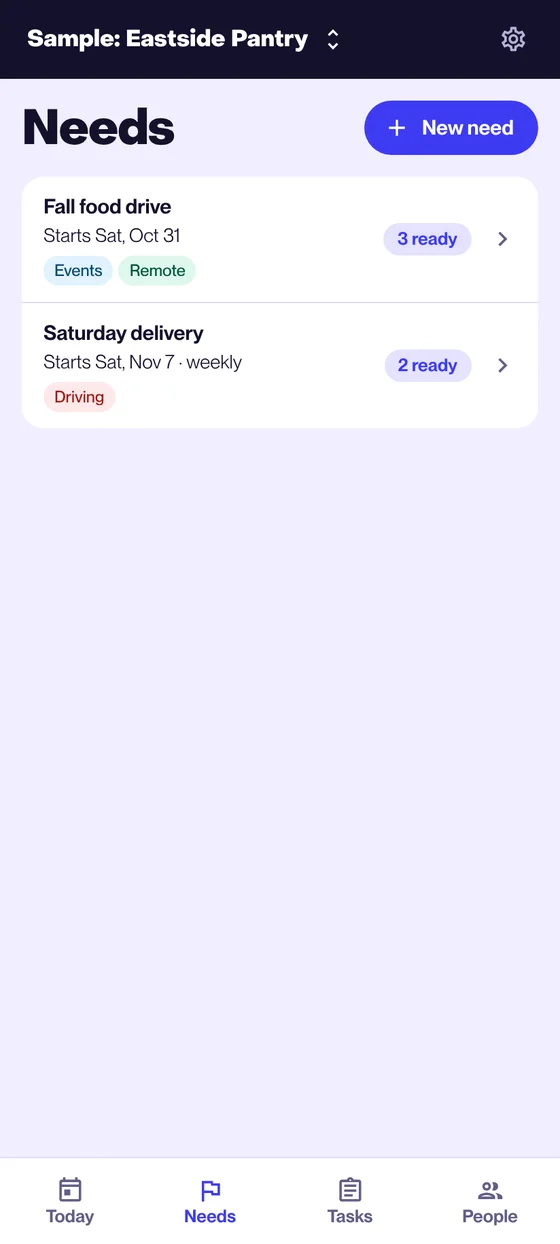
Something the pantry wants to run, such as a Saturday delivery, lists the assignments it takes and the supplies it can't start without. Each assignment shows the person who fits or the gap.
Needs A demo that asks about the visitor's own organization
The demo opens a sample food pantry with 26 volunteers and walks through five screens. At each stop it asks how the visitor's organization handles the same decision today.
The demo
Try the demo
Sign in with any email address. The code appears on the screen, so nothing is sent. The demo holds sample data, and anyone with the link can open it, so keep real volunteer details out of it.